The Shawshank Redemption NLP Analysis
This project conducts natural language processing (NLP) analysis on the script of “The Shawshank Redemption”. The analysis includes text extraction from a PDF, text cleaning, named entity recognition (NER), sentiment analysis, and network visualization of character interactions.
Project Description
This project comprises Python scripts utilizing various NLP libraries and techniques to analyze the script of “The Shawshank Redemption”. Below is a detailed overview of the functionalities:
Text Extraction
The first step in our analysis is extracting the text from a PDF file containing the script. We employ the PyPDF2 and Textract libraries for this task. PyPDF2 is a robust tool for handling PDF documents, while Textract aids in text extraction from various file formats. Together, these libraries allow us to efficiently retrieve the script’s content for further processing.
Text Cleaning
Once the text is extracted, we clean it to prepare for analysis. This involves several steps: - Removing Punctuation: Eliminating punctuation marks to ensure cleaner data. - Removing Stopwords: Removing common words that do not contribute much to the analysis, such as “and”, “the”, etc. - Lemmatizing Words: Converting words to their base or root form using the NLTK library. For example, “running” becomes “run”.
This preprocessing step is crucial to enhance the quality of the data and improve the performance of subsequent analyses.
Named Entity Recognition (NER)
Named Entity Recognition (NER) is a technique used to identify and classify named entities in the text into predefined categories such as names of people, organizations, locations, etc. In our project, we use regular expressions and the NLTK library to identify potential names within the script. This step helps us understand the characters and important entities present in the script.
Sentiment Analysis
Sentiment analysis aims to determine the emotional tone behind a body of text. We use TextBlob and VADER Sentiment Analysis tools to perform this task. TextBlob is a simple library that provides easy-to-use API for diving into common natural language processing (NLP) tasks, while VADER (Valence Aware Dictionary and sEntiment Reasoner) is specifically attuned to sentiments expressed in social media. This dual approach allows us to capture the sentiment conveyed in the script accurately.
Word Cloud Generation
A word cloud is a visual representation of text data, where the size of each word indicates its frequency or importance. We generate a word cloud of the most common words in the script using the WordCloud library. This visualization helps in quickly identifying the most prominent terms in the text.
Summarization
To provide a concise overview of the script, we implement text summarization using the Hugging Face transformers library. This library offers powerful pre-trained models for various NLP tasks, including summarization. By summarizing the script, we can quickly grasp the main points and themes without reading the entire document.
Character Interaction Network Visualization
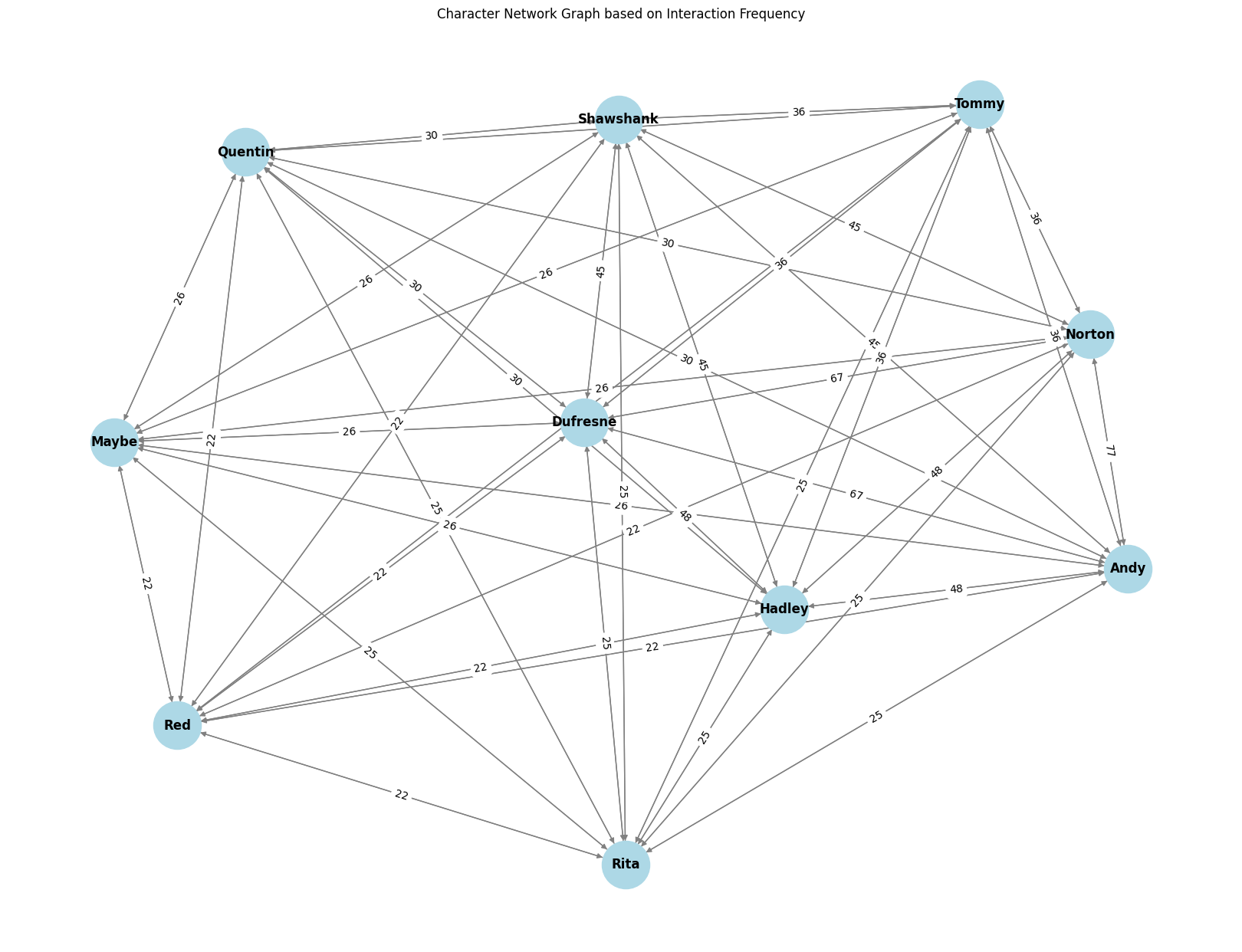
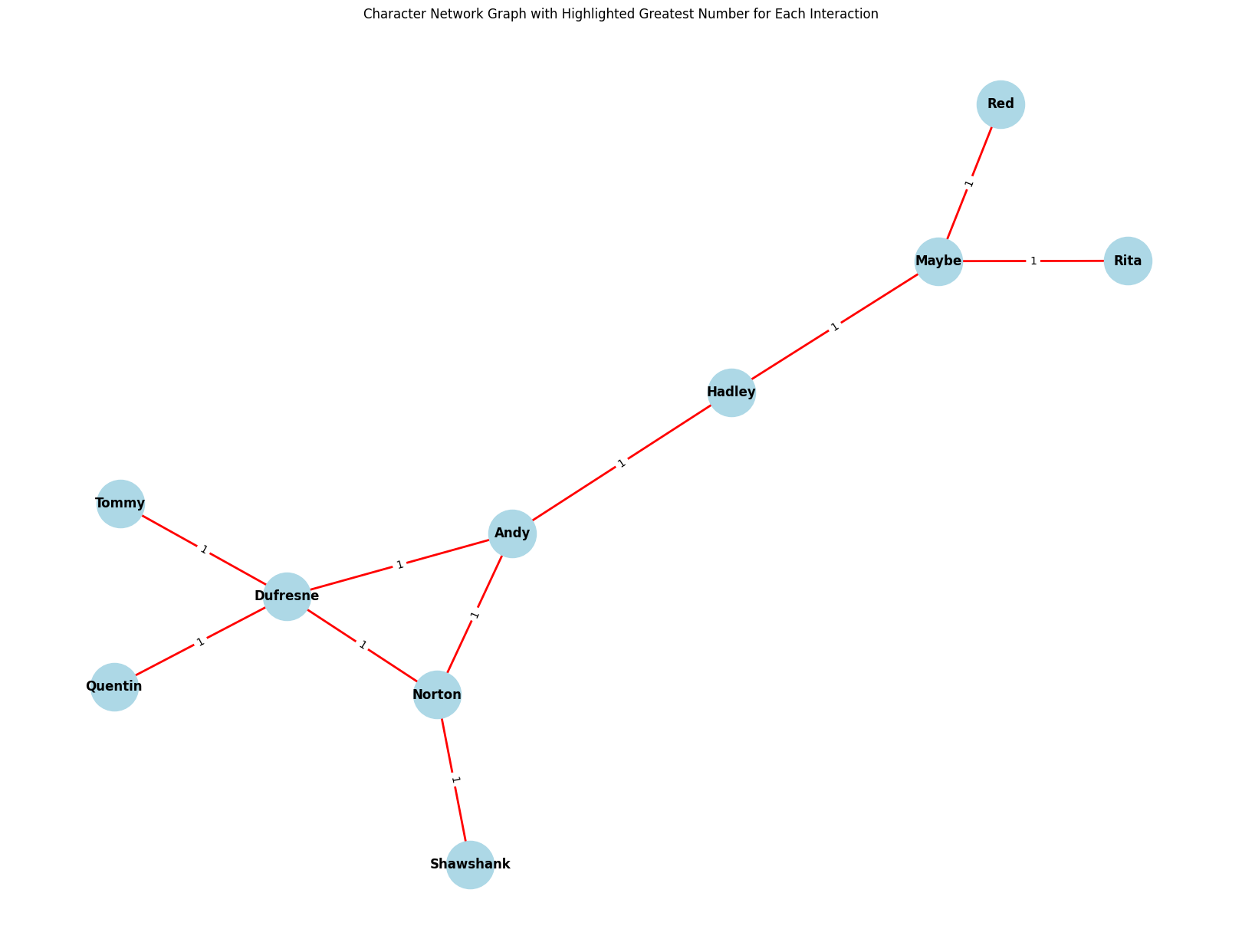
Understanding character interactions is vital for analyzing a script. We use NetworkX and Matplotlib libraries to visualize the interactions between characters. NetworkX allows us to create and manipulate complex networks, while Matplotlib provides plotting capabilities. The resulting network graph displays characters as nodes and their interactions as edges, offering insights into the dynamics within the script.
Dataset Source
The script used for this project is sourced from Kaggle. You can find the dataset here. This dataset provides the complete script of “The Shawshank Redemption” in PDF format, suitable for NLP analysis.
Installation
To get started with this project, follow these steps:
Clone the repository:
git clone https://github.com/swaraj-khan/shawshank-nlp-analysis.gitNavigate to the project directory:
cd shawshank-nlp-analysis
Usage
- Ensure you have the PDF file containing the script named
ssr.pdfin the project directory. - Open the Jupyter notebook
app.ipynbto explore the NLP analysis. This notebook provides step-by-step instructions and code snippets to perform various analyses and generate visualizations.
Results
The project produces several results:
- Cleaned Text: The cleaned text is saved as
clean_data.txt. - Word Cloud: A word cloud image (
Manifesto_top_100.jpeg) of the top 100 most common words is generated. - Sentiment Analysis: Results of the sentiment analysis are printed to the console.
- Character Interaction Network: A network graph of character interactions is displayed using Matplotlib.
Source Code
For more details, visit the source code on GitHub.